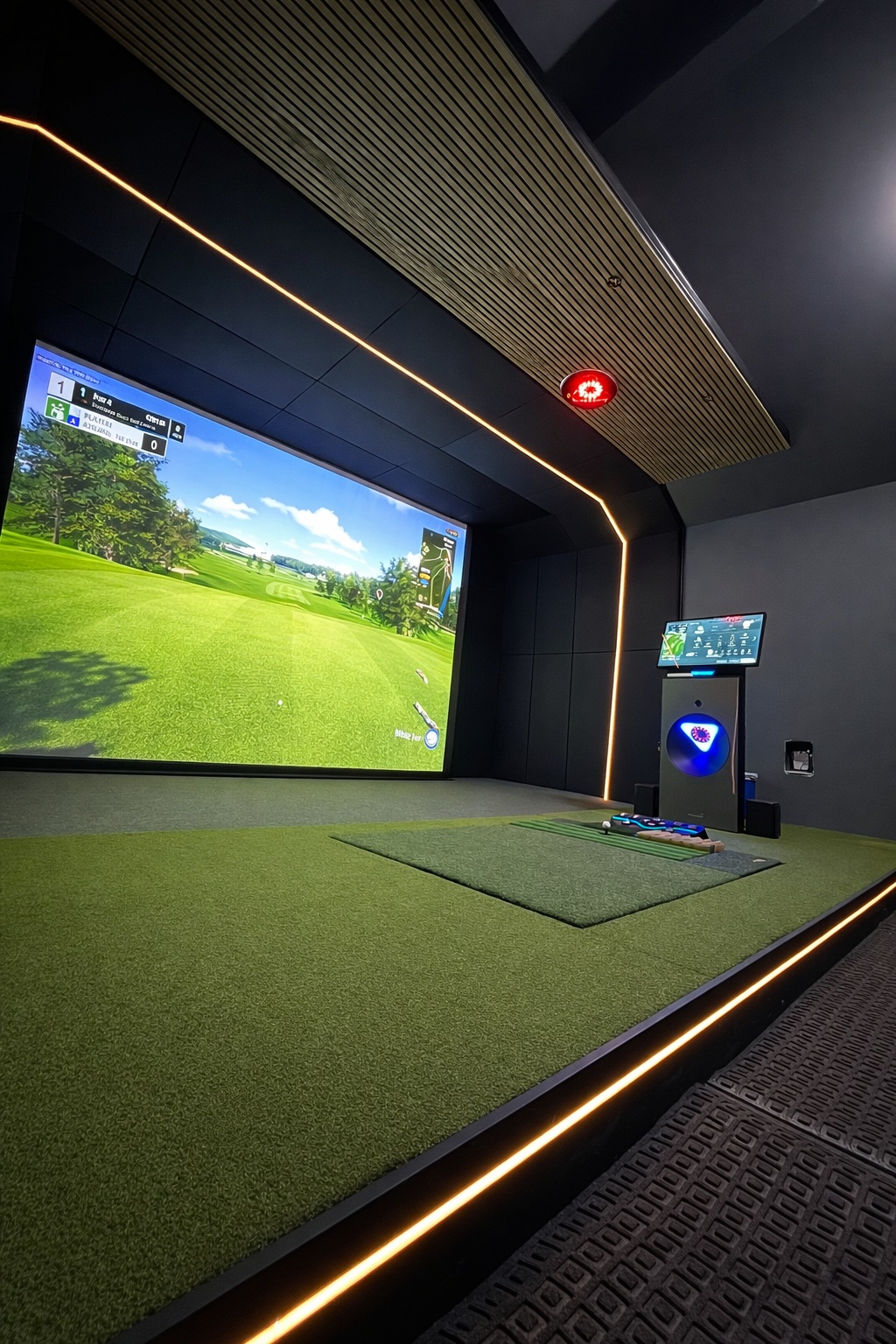
A projector is one of the most consequential purchases in a golf simulator build, and it's the one where we see the most missteps. People come to us having already bought something — usually off Amazon, usually based on reviews from a home theater forum — and the spec that guided the decision (price tier, 4K label, lumen rating) had almost nothing to do with whether the projector will actually work in their space.
A golf simulator puts specific constraints on a projector that home theater never does. The throw distance is fixed. The screen is not flat glass. A ball flies past the lens at 150 mph. None of those factors show up in standard projector reviews, and almost none of the comparison sites account for them.
Here's how we think about it — from the spec that matters most to the products we actually install.
If a projector's throw ratio doesn't work for your room, no other spec matters. It won't fit the screen from your ceiling mount position, and you can't fix that with brightness or resolution. Start here before you look at anything else.
The Common Misconceptions
Before getting into the specs that do matter, it helps to name the ones that don't — or at least don't matter the way most buyers assume.
- Higher price = better performance for golf: Price in the projector market correlates mostly to zoom range, lens shift, and connectivity features built for boardrooms and lecture halls. None of those add value in a golf bay. A $1,500 unit with the right throw ratio will outperform a $4,000 unit with the wrong one.
- 4K makes the image sharper: On a flat glass screen, 4K is noticeable. On an impact screen — which has texture, tension variation, and a matte surface — the practical difference between 1080p and 4K at typical viewing distances is minimal. 4K still matters for other reasons, but "sharper image" isn't really one of them in this application.
- More lumens, more brightness: Lumen ratings are measured under controlled lab conditions with a new lamp at maximum power. In real installations — especially as the lamp ages — you'll see significantly less. The marketing number is a ceiling, not a guarantee.
- Ultra-short throw gives you more flexibility: Ultra-short throw projectors (0.4:1 throw ratio and below) sit very close to the screen. In a golf simulator, that puts the projector directly in the ball flight path. We've seen units destroyed by errant shots. We don't install ultra-short throw in golf applications.
Throw Ratio — The Only Spec That Can Kill a Deal
Throw ratio is the relationship between the distance from the projector lens to the screen, and the width of the image. A throw ratio of 1.0:1 means the projector needs to be 10 feet away to produce a 10-foot-wide image. A ratio of 0.79:1 means it only needs to be 7.9 feet away for that same 10-foot image.
In a golf simulator, the projector typically mounts from the ceiling behind the golfer. The distance from that mount point to the screen face is determined by your room depth and ceiling clearance — it's essentially fixed once construction is done. You need a projector whose throw ratio works for that distance.
This is why the first thing we ask a client is their room dimensions — not their budget.
Using the Projector Central Calculator
Projector Central maintains a free throw distance calculator at projectorcentral.com that we use on every project. Here's how to use it for a golf simulator:
Step-by-Step: Finding Your Throw Distance
Search for the specific projector model you're evaluating. The calculator is model-specific — generic throw ratio math gives you a ballpark, but the calculator accounts for zoom range and lens positioning.
In the aspect ratio dropdown, select Custom. Golf simulator screens are not standard 16:9. Measure your actual screen width and height, then divide width by height to get your ratio. A 15-foot wide by 11-foot tall screen is 15 ÷ 11 = 1.36 — enter that as your custom aspect ratio.
Enter your screen width. The calculator will return a range of throw distances based on the projector's zoom. That range tells you the minimum and maximum distance the projector can be from the screen to fill it correctly.
Compare that throw range against your room. Your ceiling mount position needs to fall within that range. If it doesn't, that projector doesn't work in your space — regardless of how good the rest of the specs are.

Lumens — How Much Light You Actually Need
The minimum we spec for any residential golf simulator is 4,000 lumens. In a room with controlled lighting — blackout shades, dark walls, no windows — 4,000 gets you a usable image. In a room with any ambient light at all, you want more.
Our standard residential recommendation sits at 5,000 lumens. That gives you headroom for a lamp that's a year old, a room that isn't perfectly blacked out, and the general degradation that happens with time. Commercial builds — where the bay may run eight to twelve hours a day, where lights are harder to control, and where image quality is a direct revenue factor — need 5,000 lumens as a minimum, and we often spec higher.
On lamp-based projectors: Lamp brightness degrades meaningfully over the first 500–1,000 hours of use. A 4,500-lumen unit bought new may be producing 3,500 lumens two years later under normal use. Laser light sources don't degrade the same way — their output stays consistent across their rated life. That's one of the practical arguments for laser over lamp, especially in commercial applications.
The 4K Reality Check
We do spec 4K projectors — the Optoma ZK521ST we recommend is a true 4K UHD unit. But we're transparent about why: it's not primarily about image sharpness on the impact screen.
Impact screens are made of woven or layered fabric with texture and tension variation across the surface. At the distances people stand from the screen in a typical golf bay (8 to 12 feet), the screen material itself limits how much resolution is actually visible. You're not looking at a laser-cut glass display.
The reasons 4K does matter in this context:
- UI legibility: The simulator software — ball flight data, scorecard, shot stats — renders more cleanly at 4K than 1080p.
- Future-proofing: Course graphics from software platforms like GSPro and E6 are being built for higher resolution pipelines. A 4K projector gives you a longer usable life as content improves.
- Resale: If you ever want to sell the hardware, 4K is a much easier conversation than 1080p.
But if you're choosing between a 1080p projector with the right throw ratio and a 4K projector with the wrong one, take the 1080p every time.
Refresh Rate
60Hz is the floor. Most golf simulator software runs at 60 frames per second, and a projector that matches or exceeds that gives you a smooth, tearing-free image during ball flight animations and course walkthroughs.
Some projectors advertise higher refresh rates — 120Hz, 240Hz — but in practice, the simulation software caps out at 60fps regardless, so those numbers don't translate to a noticeably different experience in this application. Don't pay a premium for refresh rate above 60Hz specifically for a golf simulator.
Impact Screen Considerations
A projector for a golf simulator has to coexist with a screen that's taking repeated direct hits from golf balls. That creates a few constraints most home theater guides never address.
First, the screen moves. When a ball hits an impact screen, the screen deflects backward and then bounces back. That movement temporarily changes the geometry of the projected image. A projector with a slower response can't adjust, but this is more a screen tensioning issue than a projector one — a well-tensioned impact screen limits that deflection significantly.
Second, impact screens have some texture that diffuses the projected image slightly. This is why lumens matter more than they might in a home theater context — you're fighting surface diffusion in addition to ambient light.
Third, ultra-short throw projectors are simply not appropriate here. A 0.4:1 throw ratio puts the projector lens within five or six feet of the screen face — directly in the flight path of a mishit. We've seen units destroyed this way. Short throw (0.79:1 to 1.2:1) is the sweet spot: close enough for most residential rooms, far enough to be out of the direct line of a shanked drive.
Laser vs. Lamp
For residential installs, a lamp-based projector is a reasonable choice. Lamps are replaceable, usually cost $200–400 to swap out, and a residential simulator at moderate use (2–3 hours per day) may only need one replacement over several years. Lamp-based units also tend to be less expensive upfront.
For commercial installs — where a simulator might run 8 to 12 hours daily — lamp becomes untenable. Lamp life ratings are typically 3,000–6,000 hours under normal use. A commercial bay at 10 hours per day would need a lamp replacement every year or less. At that replacement frequency, the cost and downtime add up fast.
Laser light sources are rated for 20,000 to 30,000 hours. At 10 hours per day, that's 5–8 years of continuous use before the light source degrades to replacement threshold. For commercial applications, laser isn't a luxury — it's an operational requirement.
Note on laser certifications: Laser projectors carry Class 3B or Class 3R laser safety classifications. Commercial installations may have local code requirements around laser projector mounting, signage, or ventilation. Check with your AHJ (Authority Having Jurisdiction) before finalizing placement in a commercial build. We handle this coordination as part of our commercial build process.
What We Install — Our Recommendations
These are the units we're currently specifying across our residential and commercial builds. Pricing reflects typical retail at time of writing — verify current pricing with your supplier.
Budget: ViewSonic (Entry-Level Residential)
For clients who want to keep the projector budget under $1,000, ViewSonic has a short throw option that serves as a functional starting point. Around $980–1,000, approximately 4,000 lumens, 1080p. It's not our first choice — at this price point you're accepting real tradeoffs in build quality and long-term reliability — but it clears the minimum threshold for a usable residential installation. If this is your first build and you plan to upgrade later, it gets you started without a major upfront commitment.
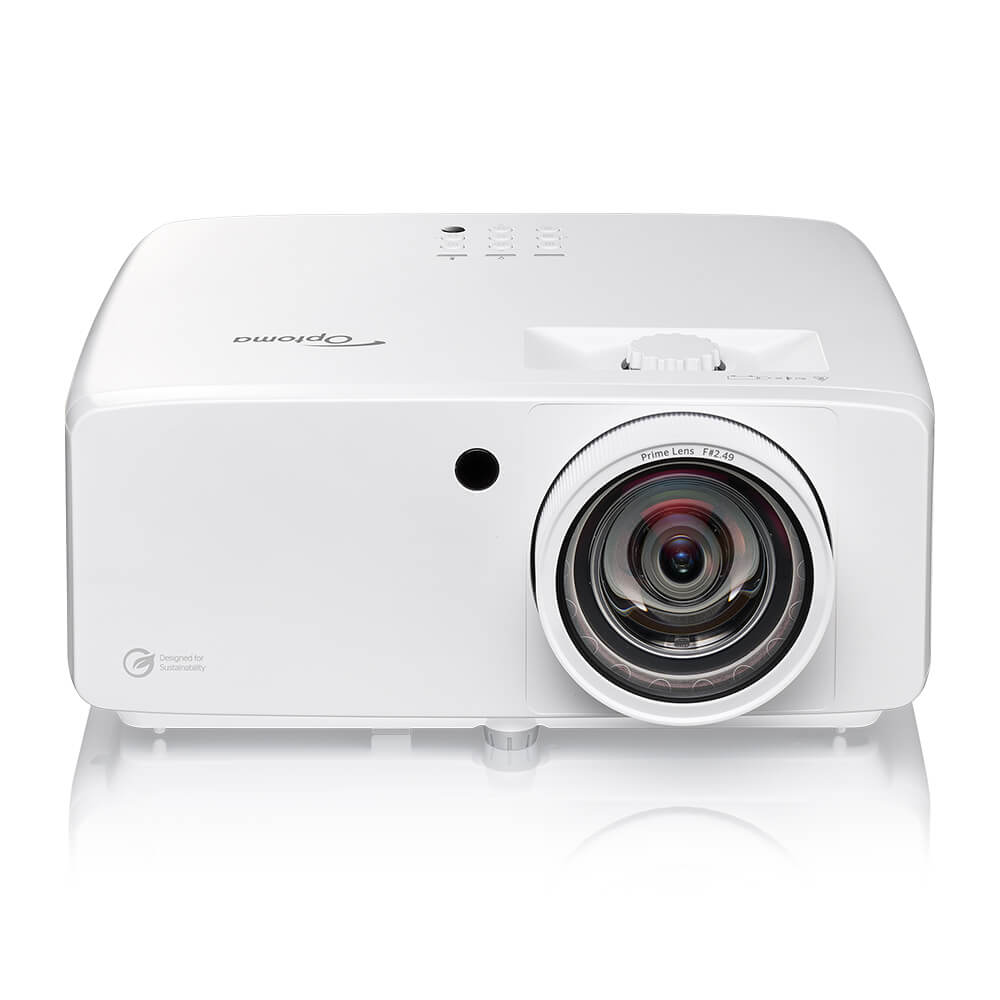
The Optoma ZK521ST is the unit we're specifying on most of our residential builds right now. It hits every requirement we set — 5,100 lumens, true 4K UHD, 0.79:1 short throw ratio, and a laser light source rated to 30,000 hours — at a price point that makes it accessible for serious residential customers.
The 0.79:1 throw ratio is particularly well-suited to golf simulator applications. From a ceiling mount 10–13 feet behind the screen, it fills a standard 15-foot wide screen cleanly. That covers the majority of residential bay configurations we encounter.
Premium: BenQ LK936ST
The BenQ LK936ST is the step up for clients who want more overhead on brightness and are working in a larger commercial-scale residential space. At 5,100 lumens and a 1.10:1 zoom throw ratio, it's better suited to bays with more depth — where the projector can sit 13–17 feet from the screen. Retail around $4,899. The BenQ also has stronger connectivity features and dual HDMI inputs, which matters in commercial setups with multiple content sources.
Commercial: Optoma ZK608TST
For commercial builds running 8+ hours per day, we specify the Optoma ZK608TST. It's engineered specifically for 24/7 operation, with a laser light source rated at 30,000 hours and thermal management designed for continuous use environments. Where the ZK521ST is a residential workhorse, the ZK608TST is built for the demands of a commercial bay. Pricing varies by channel — contact us if you're planning a commercial build and we can discuss sourcing.
Side-by-Side Comparison
| Model | Lumens | Resolution | Throw | Light Source | Best For | Price |
|---|---|---|---|---|---|---|
| ViewSonic (entry) | ~4,000 | 1080p | Varies | Lamp | Budget residential | ~$980 |
| Optoma ZK521ST | 5,100 | 4K UHD | 0.79:1 | Laser | Residential / light commercial | ~$2,699 |
| BenQ LK936ST | 5,100 | 4K UHD | 1.10:1 | Laser | Larger residential / commercial | ~$4,899 |
| Optoma ZK608TST | 6,000+ | 4K UHD | Varies | Laser 24/7 | Commercial daily-use | Contact us |
The Bottom Line
There's no projector that's right for every golf simulator. The room determines the throw ratio, the throw ratio determines the candidate list, and from that list you filter by lumens, light source, and budget. The order matters.
If you're in early planning stages, get us your room dimensions before you start looking at projector listings. We'll run the throw calculator, tell you what throw ratio range works for your space, and give you a short list of units that fit. That conversation takes fifteen minutes and saves a lot of people from buying the wrong thing.
A note on ceiling mount positioning: Where the projector mounts relative to the screen — height, angle, horizontal offset — affects image geometry significantly. A projector that clears the throw ratio requirement can still produce a distorted image if the mount isn't positioned correctly. We handle mount engineering as part of every install, but if you're DIY-ing, factor this into your planning before committing to a ceiling mount location.